
Custom widget
Custom widget is a CoSApp Lab widget allowing users to add Jupyter widgets into dashboard. Users can only use it in SysExplorer.
Start Custom widget
To open custom widget inside SysExplorer, just select Custom widget in widget menu of any section.
Document widget main interface
Custom widget contains a render window to show the Jupyter widgets and a toolbar at the bottom of interface.
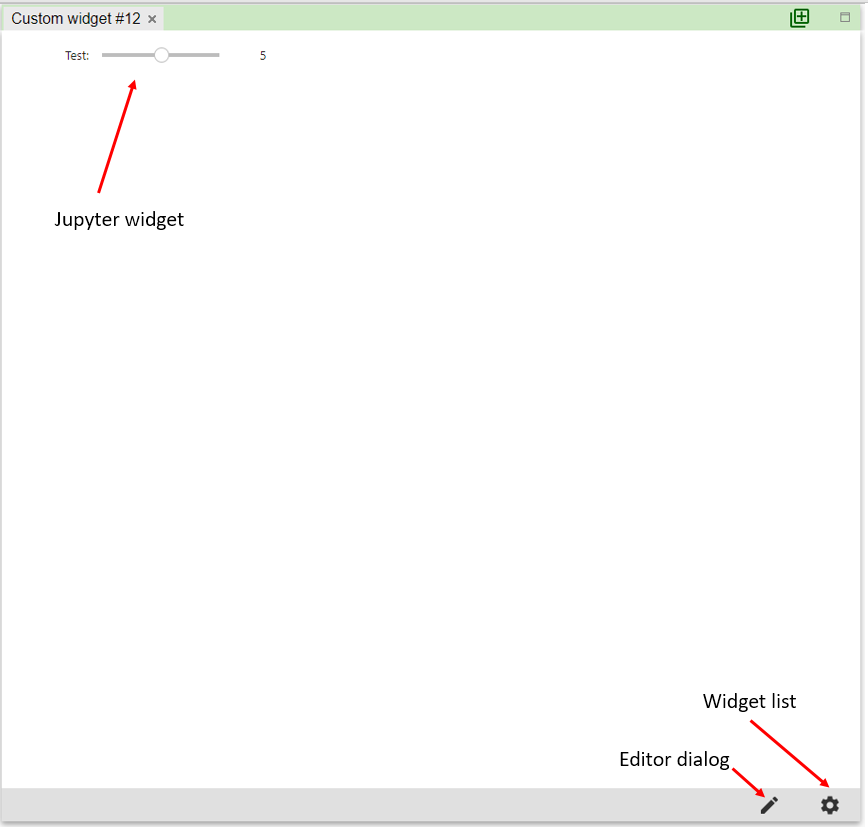
Editor dialog
This dialog is used to implement the Jupyter widget. Users can save the widget into dashboard configuration and reload it in other custom widget.
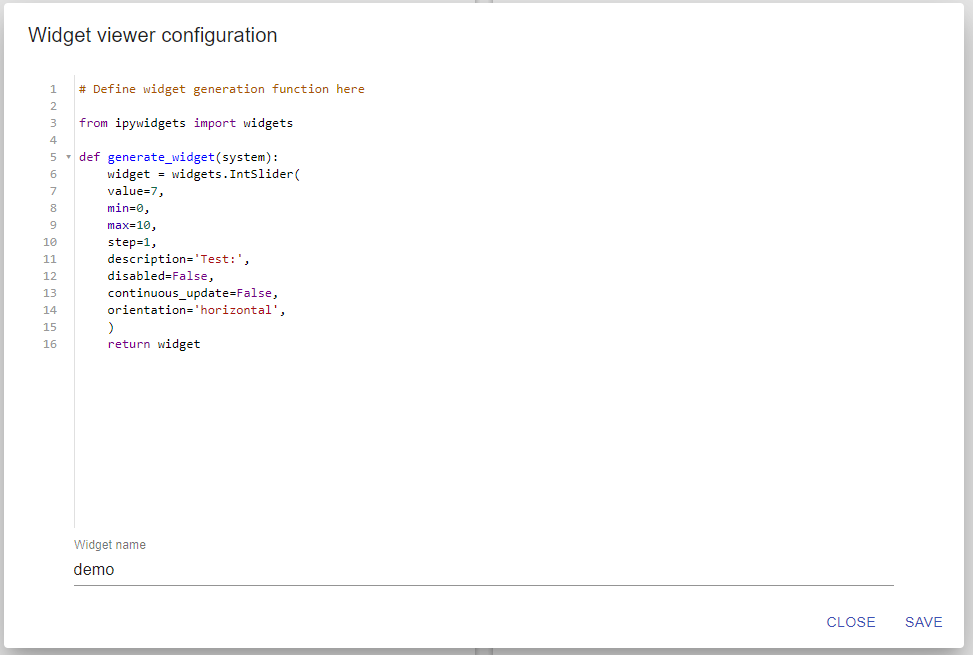
In order to create a custom widget, users need to implement a function named generate_widget. The current CoSApp system of SysExplorer will be passed to first parameter of generate_widget. This function must return an ipywigets widget object. If users want to create multiple widgets, these widgets need to be wrapped inside a HBox or VBox of ipywidgets .
A typical implementation of generate_widget is:
from ipywidgets import widgets

def generate_widget(system):

   widget1 = widgets.IntSlider(value=7, min=0, max=10)
   widget2 = widgets.IntText(value=7)

   return widgets.VBox([widget1,widget2 ])
To facilitate the debugging of generate_widget, users should test it in a notebook before adding the code into custom widget editor.
Widget list dialog
This dialog allows users to select saved widgets to be shown.